The shortcuts window
1 min readUpdated 10 days agoBy NodeBook Team
Open it
- Press F1 or ?.
- Or open the account menu and click Keyboard shortcuts.
- Or open About NodeBook and click Keyboard shortcuts.
Find a shortcut
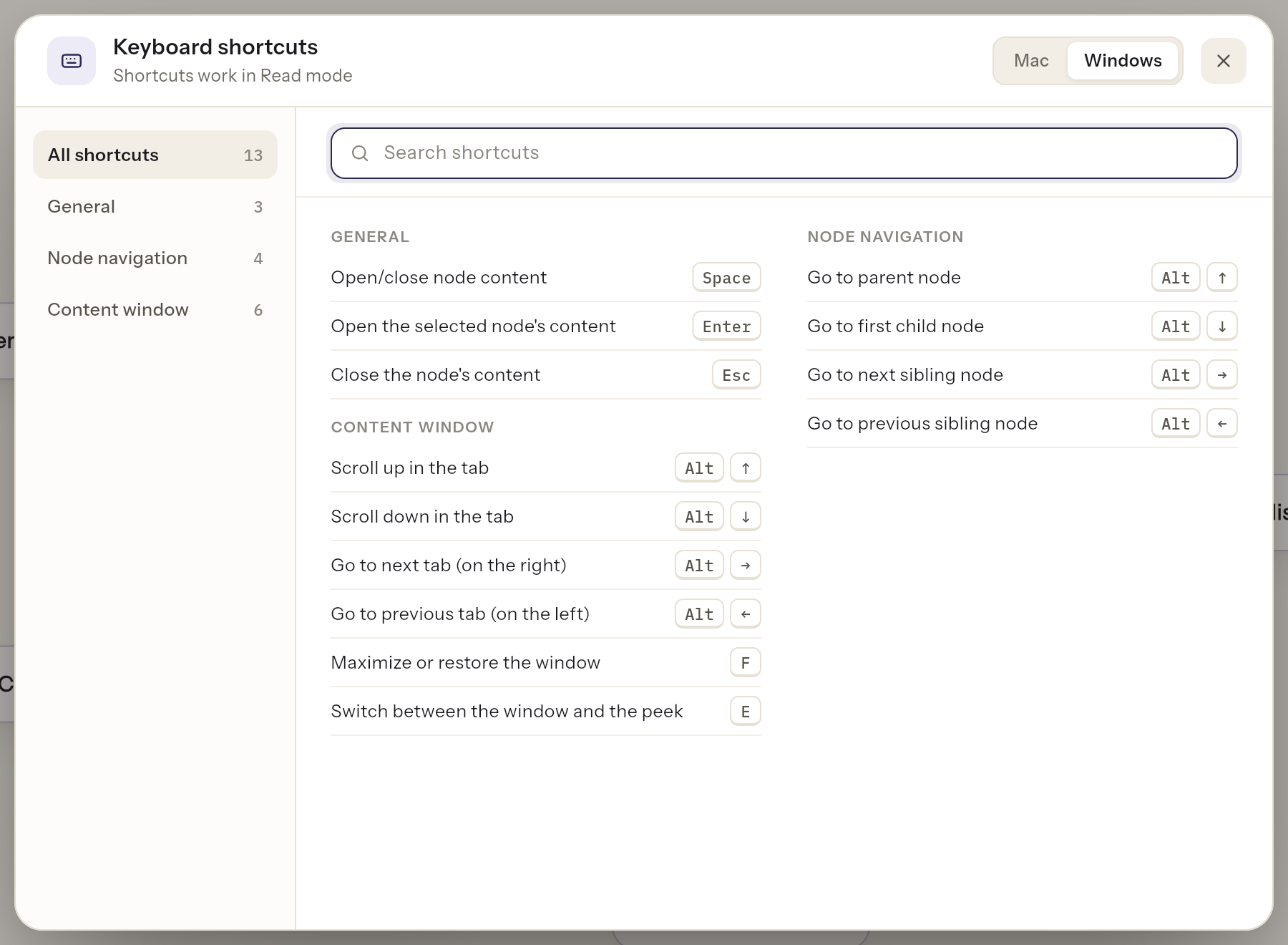
- The shortcuts are grouped. Click a group to jump to it, or All shortcuts to see everything.
- Type in Search shortcuts to filter by what a shortcut does, for example tab or zoom. If nothing matches, it says so.
- Use the Mac / Windows switch to see the keys for either. NodeBook picks your computer's by default.
The window lists exactly the shortcuts NodeBook has, so it's always up to date. The same list is in All keyboard shortcuts.
Press Esc to close it.
Essential Canvas Controls:
Was this article helpful?