Contact support
1 min readUpdated 10 days agoBy NodeBook Team
Send a support ticket
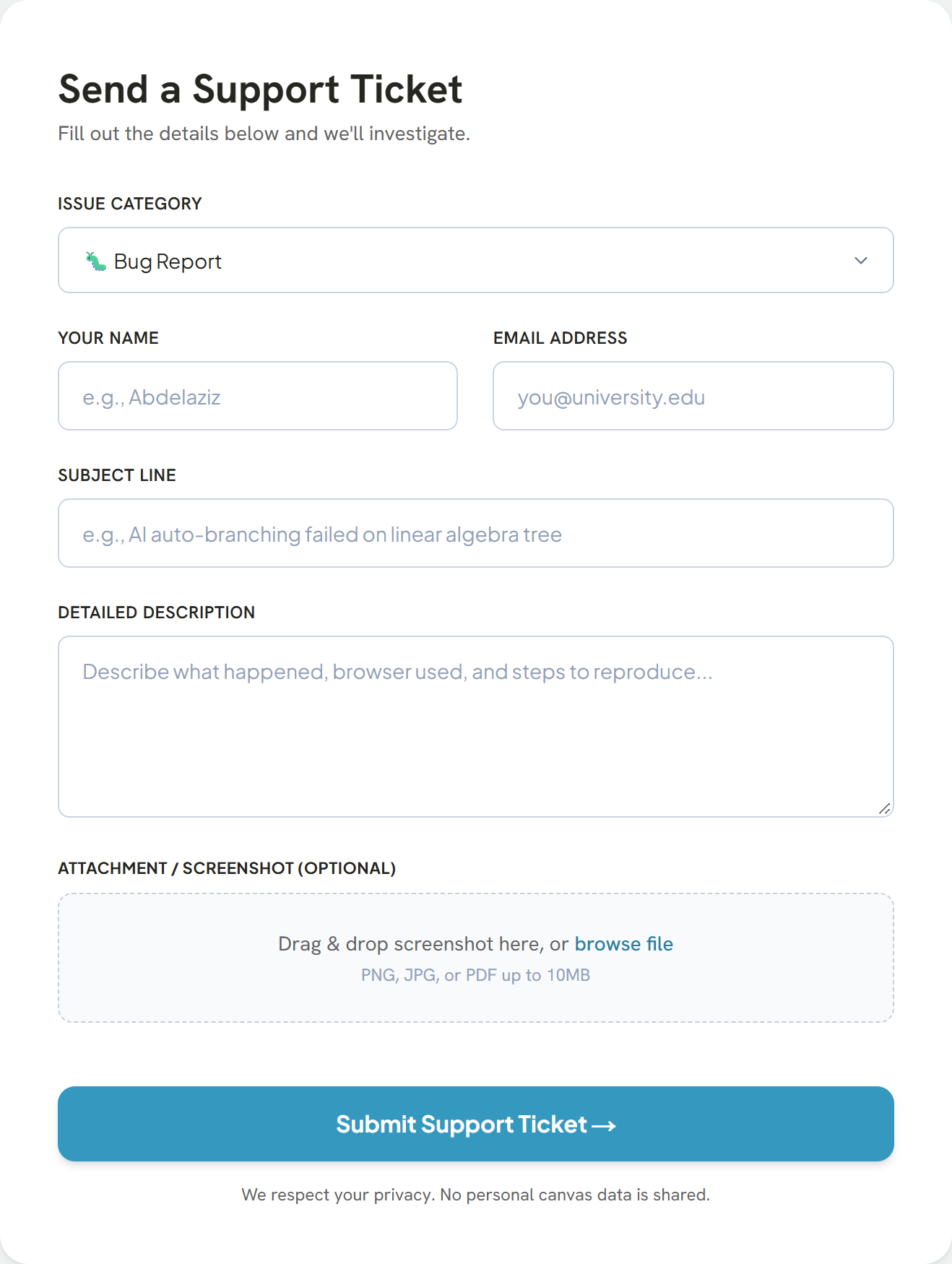
- Go to Contact Support on the NodeBook website. In the app, open the account menu, click About NodeBook, then Contact us.
- Choose an Issue Category: Bug Report (Canvas / Nodes), AI Study Partner Feedback, Cloud Sync & Account, Feature Request / Idea or General Question.
- Fill in Your Name, Email Address, a Subject Line and a Detailed Description.
- Optionally, add a screenshot under Attachment / Screenshot: PNG, JPG or PDF, up to 10 MB.
- Click Submit Support Ticket.
You see Ticket sent — we're on it. with a reference number. Our engineering team replies by email.
What helps us fix it fast
- What you were doing, and what happened instead.
- The steps to make it happen again.
- Your browser, and whether you're on a computer or a phone.
- A screenshot.
- For an error screen, the technical details: click Show technical details, then Copy details, and paste them into your ticket.
Report from an error screen
When NodeBook shows an error screen, click Report a problem. It opens an email to us with the error details already filled in.
You can also write to info@nodebook.ae.
Was this article helpful?