What NodeBook's error messages mean
💡 Pro Tip:
Almost every error screen has Try again. It's the first thing to click.
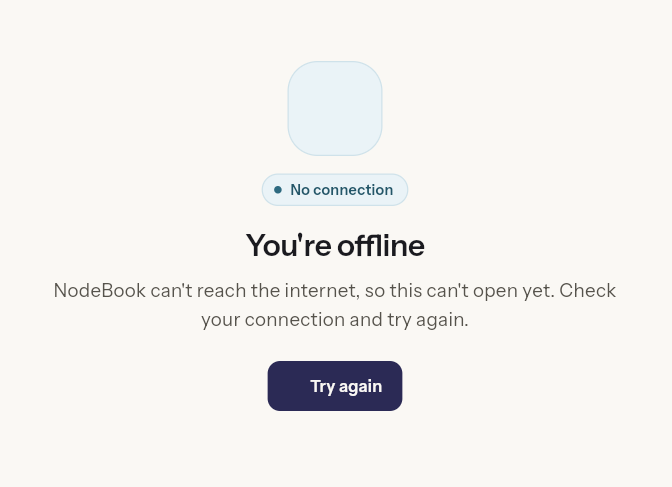
You're offline
No connection. NodeBook can't reach the internet, so this can't open yet. Check your connection and click Try again.
You don't have access to this
Private node. The node is private. Ask the owner to share it with you, then try again.
Sign in to open this node
Private node. If it was shared with you, sign in with the email address it was shared to. If you're signed in with the wrong account, use Switch account.
We can't find this node
404 · Not found. It may have been deleted or moved, or the link might be incomplete. Check that you copied the whole address, or click Go to my NodeBook.
You've been signed out
Signed out. For your security, your sign-in has ended. Click Sign in again to carry on.
Back in a few minutes
Scheduled upgrade. We're upgrading NodeBook. Everything you saved is safe. Try again shortly.
NodeBook hit a snag
Something broke on our side. This one's on us, not you. Everything you saved is safe. Try again in a moment.
Your NodeBook didn't load
Couldn't load the nodes. Your nodes and tabs are safe: this is only a loading problem. Click Try again, or reload the page.
This tab didn't open
Couldn't read this tab. Part of the tab is saved in a format NodeBook couldn't read. Nothing was deleted, and the node's other tabs still open. Contact support so we can recover it.
NodeBook didn't start
Couldn't start. Click Reload NodeBook. Reloading almost always fixes it, and nothing you saved is lost.
Still stuck?
Still stuck? Try a private window or another browser. If that doesn't help, click Report a problem on the error screen, or Show technical details and Copy details to send us what went wrong.
Was this article helpful?