Node settings
2 min readUpdated 9 days agoBy NodeBook Team
Open Node settings
- Open the node menu and choose Node settings.
- Or click the current node's name in the node path and choose Node settings.
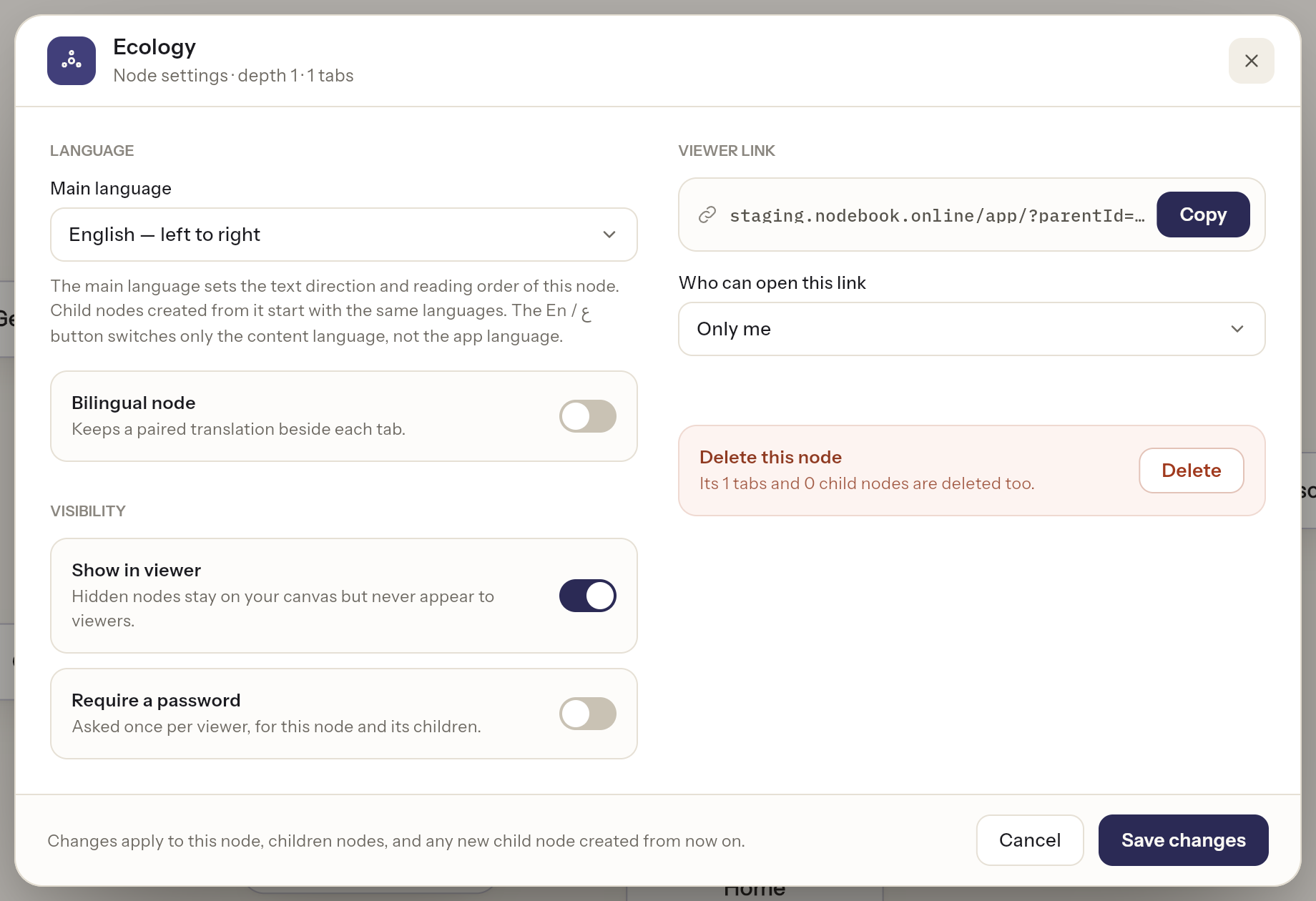
The header shows the node's depth and how many tabs it has. Change what you need, then click Save changes, or Cancel to leave everything as it was.
Changes apply to this node, children nodes, and any new child node created from now on.
Language
- Main language: English — left to right or العربية — right to left. Sets the text direction and reading order of the node's tabs.
- Bilingual node: keeps a paired translation beside each tab.
See English and Arabic content.
Visibility
- Show in viewer: turn off to hide the node from people you share with. See Hide nodes and tabs from viewers.
- Require a password: ask viewers for a password. See Protect a node with a password.
Viewer link
Under Who can open this link:
- Anyone with the link — can view: Anyone who has the link can view. No sign-in needed.
- Only me: Only you can open it.
Click Copy to copy the link. The top of your NodeBook is always private, so this section can't be changed there.
Delete this node
At the bottom, Delete this node deletes the node with its tabs and child nodes. See Delete a node.
If saving fails, you see Couldn't save. Check your connection and try again.
Was this article helpful?